23 September 2026 · 7 minute read
Why is my Mac fan so loud?
The fan spins up, stays up, and the Mac gets warm. Almost always this means one thing: something is using a lot of CPU, and the fan is doing its job. The question is what.
Find the culprit in about twenty seconds
- Press ⌘+Space, type
activity, press Return. That opens Activity Monitor. - Click the CPU tab.
- Click the % CPU column heading so the arrow points down. The heaviest process is now at the top.
Whatever sits at the top, consistently, over ten or twenty seconds is your answer. Ignore brief spikes; they are normal.
Read the number properly
This trips up nearly everyone coming from Windows, where Task Manager shows CPU as a share of the whole machine.
On macOS, % CPU counts each core separately. 100% means one core fully occupied. On an eight-core Mac the ceiling is 800%.
So a process sitting at 300% is not "broken", it is using about three cores' worth of capacity, which is exactly what you would expect from a video export or a compile. A process at 100% when nothing should be happening is far more suspicious than one at 300% while you are rendering something.
The usual suspects
| What you see | What it usually is | What to do |
|---|---|---|
Google Chrome Helper (Renderer) or com.apple.WebKit | One bad browser tab. Video, a canvas animation, or a script stuck in a loop. | In Chrome press ⇧+Esc for its own task manager and close the offending tab. |
mds, mds_stores, mdworker | Spotlight indexing. Normal after a macOS update, a big file copy, or a new external drive. | Leave it. It finishes, usually within an hour. |
photoanalysisd, photolibraryd | Photos scanning your library for faces and scenes. | Leave it, ideally plugged in. It pauses when you use the Mac heavily. |
backupd | Time Machine. | Leave it, or skip this backup from the menu bar icon. |
OneDrive, Dropbox, Google Drive | A sync backlog. | Let it finish. Pause syncing if you need quiet now. |
kernel_task high | Not a bug. macOS deliberately occupies cores to slow the machine down when it is too hot. | Check for a blocked vent, get it off a soft surface, and unplug an unusually hot charger. |
| An app you have never heard of, sustained | Worth investigating. | Search the exact process name before quitting anything. |
A note on memory, since people check it at the same time
"Memory used" is the wrong number to worry about. macOS deliberately fills spare RAM with cached files, because unused RAM is wasted RAM. Seeing 90% used is not a problem.
The number that matters is memory pressure, the graph at the bottom of Activity Monitor's Memory tab:
- Green — fine, whatever the "used" figure says.
- Yellow — macOS is compressing and swapping to disk. You will feel it as slight sluggishness.
- Red — it is struggling. Close something large.
Seeing it before the fan tells you
Activity Monitor answers the question, but only once you have gone looking. It lives in a folder most people never open, it has no keyboard shortcut, and you have to already suspect a problem to launch it.
On Windows you had the numbers a glance away. Switchover Stats puts them back: live CPU, memory, network and battery in the menu bar, updating every couple of seconds. Choose which appear, and set the threshold at which a value turns red.
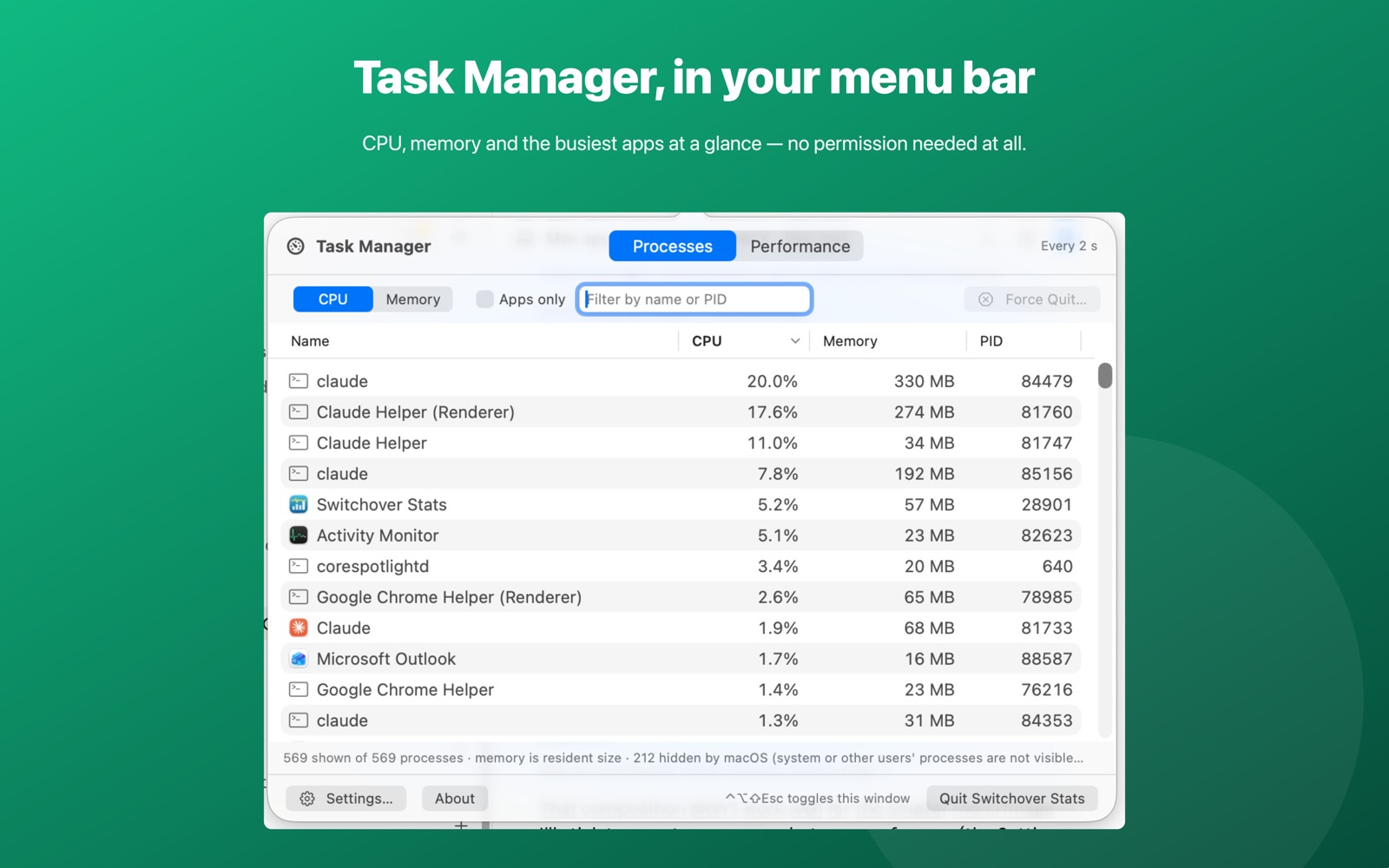
When something does spike, Ctrl+Alt+Shift+Esc opens a Task Manager window from wherever you are: every process with its CPU, memory and PID, sortable by any column, filterable by name, and Force Quit with a confirmation for your own apps. A Performance tab keeps sixty seconds of history, including a per-core CPU strip, so you can see whether a spike is one core or all of them.
It asks for no permission of any kind, and has no network access. It reads the same public counters Activity Monitor does.
Switchover Stats on the Mac App Store
If the fan is loud and the CPU is idle
That combination is different, and worth separating out. If nothing is above a few percent but the fan is still running hard:
- Check the vents. On a MacBook they are in the hinge. A cushion or a duvet blocks them completely.
- Reset the fan controller. On an Intel Mac, reset the SMC. Apple silicon has no SMC reset; a full shutdown and restart does the same job.
- Consider dust. A Mac that is a few years old and suddenly noisy at idle often just needs its fans cleaned.
- Check the charger. A failing or non-genuine charger can run hot enough to trigger the fans on its own.
Related
- Windows keyboard shortcuts on a Mac: the full table
- Ctrl+Alt+Delete on a Mac: the Task Manager equivalent
- How to force quit an app on a Mac
- Switchover Stats — Task Manager in your menu bar
Switchover · All apps · Support · Privacy · Terms
Copyright © 2026 Thanujan Sathiyamoorthy. All rights reserved. Switchover is an independent product and is not affiliated with Apple Inc. or Microsoft Corporation. Windows is a trademark of Microsoft Corporation; Mac and macOS are trademarks of Apple Inc.