Switchover › Apps › Switchover Stats
Task Manager in your menu bar
Switchover StatsOn the App Store
Miss Task Manager? Switchover Stats puts it in your menu bar — and asks for no permission at all.
Requires macOS 14 Sonoma or later. No account, no network access, nothing collected.
What it does
At a glance, in the menu bar
Live CPU, memory, network and battery readouts sit in the menu bar and update every couple of seconds. Show the ones you care about, hide the rest, and set the thresholds that turn a value red.
Task Manager, one shortcut away
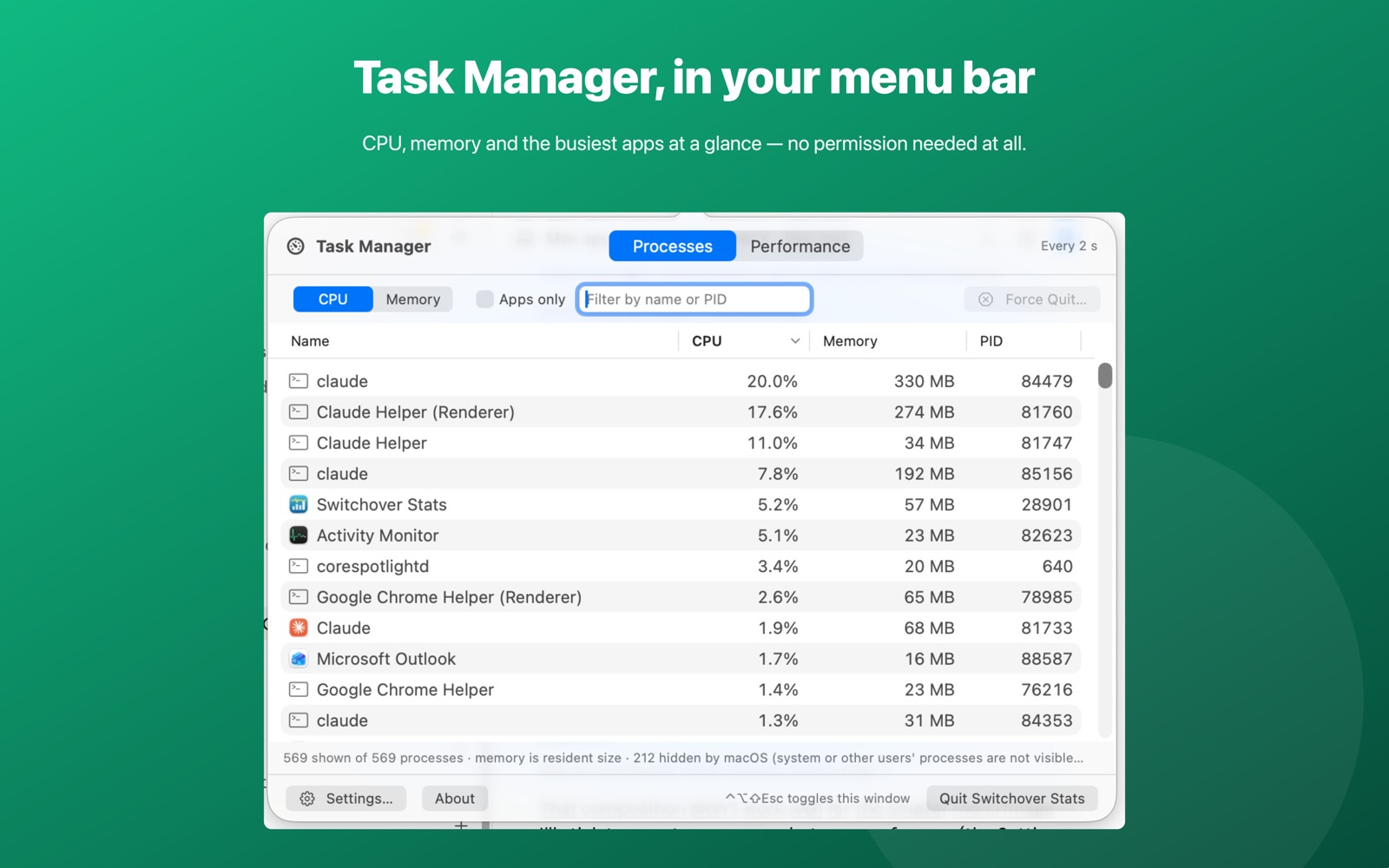
Click the readout, or press Ctrl+Alt+Shift+Esc in any app. The Processes tab lists every process you are allowed to see with its CPU, memory and PID. Sort by any column, jump to the top consumers, filter by name, or show apps only.
Force Quit, with a safety net
Select one of your own apps and force quit it. Switchover Stats always confirms first, and never touches system processes.
Performance graphs
Sixty seconds of history for CPU — with a per-core strip — memory, and network up and down, plus a battery card with time remaining.
Getting started
Open Switchover Stats once and it lives in your menu bar, with no window in the way. Click the icon whenever you need it, or press Ctrl+Alt+Shift+Esc from any app.
Permissions and privacy
None. Switchover Stats runs inside the App Sandbox and never asks for Accessibility, Screen Recording or Full Disk Access. It reads the same public system counters Activity Monitor shows.
Switchover Stats has no network access and collects nothing — no analytics, no accounts, no third-party SDKs. Its settings stay in its own sandbox on your Mac. Full detail in the privacy policy.
The rest of the family
Each Switchover app restores one Windows habit, and each one works on its own.
- Switchover — the main app: cut and paste files, clipboard history, and the keys you miss
- Switchover Mouse — Windows mouse habits, kept
- Switchover Snip — Snipping Tool habits, kept
- Switchover Taskbar — A taskbar for your desktop
- Switchover Expand — A fast, private text expander
- Switchover Cheat Sheet — Every shortcut, with its Windows twin
Switchover · All apps · Support · Privacy
Copyright © 2026 TJ. All rights reserved. The Switchover apps are independent products and are not affiliated with Apple Inc. or Microsoft Corporation. Windows is a trademark of Microsoft Corporation; Mac, macOS and Finder are trademarks of Apple Inc. No part of this site may be reproduced or redistributed without permission.