Switchover › Apps › Switchover Expand
A fast, private text expander
Switchover ExpandIn review
Stop retyping the same address, sign-off or reply. Type a short abbreviation and the full text appears — in Mail, Messages, Notes, your browser and virtually any other app.
Requires macOS 14 Sonoma or later. No account, no network access, nothing collected.
What it does
Type less
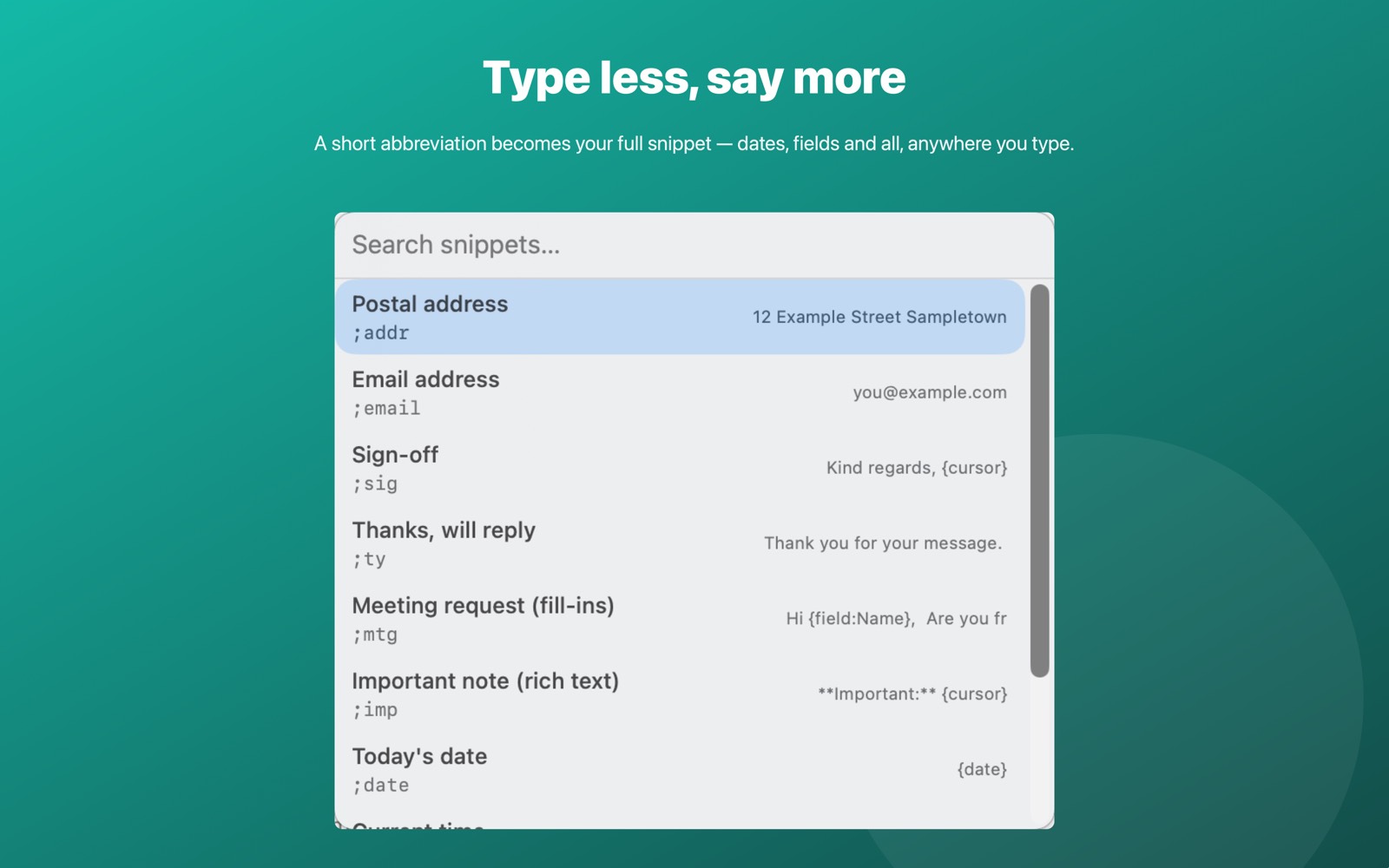
Choose a short abbreviation — ;addr, ;sig — and turn it into a sentence, a paragraph or a whole template.
Smart placeholders
Insert today's date, the current time, the clipboard, or a value you fill in on the spot, right inside your snippet. Mark a spot and the cursor lands there after the snippet expands.
Rich text or plain text, per snippet
Keep formatting where you want it, and drop it where you don't.
A quick picker
Press a single shortcut to search and insert any snippet without typing its abbreviation at all.
Your snippets, your Mac
Everything is stored locally and can be exported or imported as a plain JSON file. No account, no sync service, no cloud.
Getting started
Open Switchover Expand once, add a snippet, then turn expansion on from the menu bar icon and grant Accessibility when it asks.
Permissions and privacy
Switchover Expand needs Accessibility to notice the abbreviation you typed and to insert the snippet into the app in front. It looks at only the last few characters you typed, only in memory, never writes them to disk, and automatically does nothing at all while a password field has focus.
Switchover Expand has no network access and collects nothing — no analytics, no accounts, no third-party SDKs. Its settings stay in its own sandbox on your Mac. Full detail in the privacy policy.
The rest of the family
Each Switchover app restores one Windows habit, and each one works on its own.
- Switchover — the main app: cut and paste files, clipboard history, and the keys you miss
- Switchover Mouse — Windows mouse habits, kept
- Switchover Stats — Task Manager in your menu bar
- Switchover Snip — Snipping Tool habits, kept
- Switchover Taskbar — A taskbar for your desktop
- Switchover Cheat Sheet — Every shortcut, with its Windows twin
Switchover · All apps · Support · Privacy
Copyright © 2026 TJ. All rights reserved. The Switchover apps are independent products and are not affiliated with Apple Inc. or Microsoft Corporation. Windows is a trademark of Microsoft Corporation; Mac, macOS and Finder are trademarks of Apple Inc. No part of this site may be reproduced or redistributed without permission.