Switchover › Apps › Switchover Cheat Sheet
Every shortcut, with its Windows twin
Switchover Cheat SheetOn the App Store
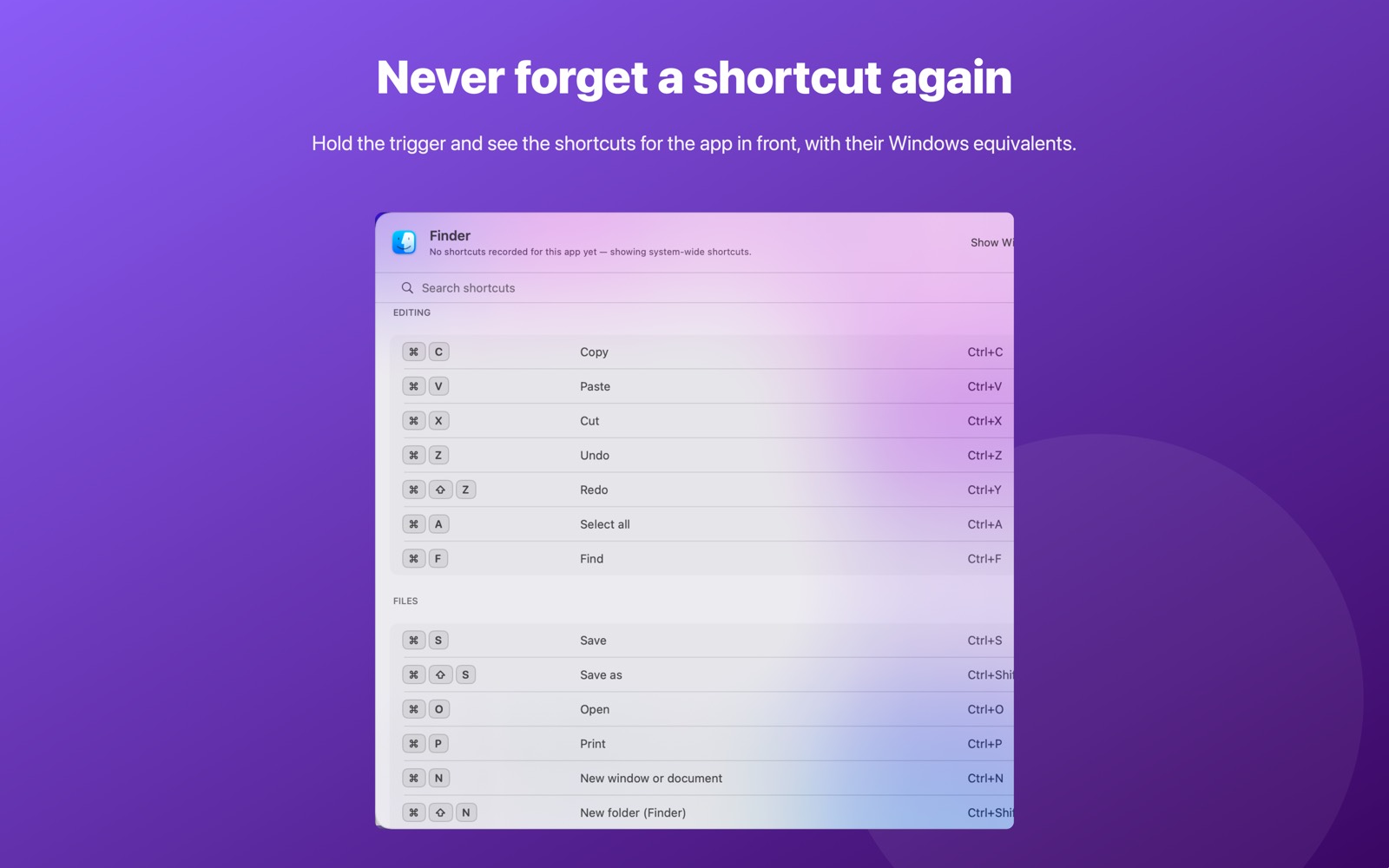
Press Ctrl+Option+/ and see every keyboard shortcut of the app in front of you — with its Windows equivalent shown right beside it.
Requires macOS 14 Sonoma or later. No account, no network access, nothing collected.
What it does
It knows which app you're in
The overlay detects the app in front and shows that app's shortcuts, grouped and searchable, each one translated into the Windows shortcut you already know.
A big, hand-written library
macOS system-wide shortcuts — Finder, text editing, screenshots, window management, Mission Control — plus Safari, Chrome, Mail, Notes, Pages, Numbers, Keynote, Word, Excel, PowerPoint, Outlook, Teams, Slack, Xcode, Terminal, Visual Studio Code, Preview, Photos and Messages.
Search as you type, and add your own
Filter the list instantly, and add shortcuts for any app that isn't covered yet.
Two ways to open it
Ctrl+Option+/ works instantly, everywhere, with no permission at all. Optionally, hold Cmd alone for a moment to open it — that one needs Accessibility, and it is off until you turn it on.
Getting started
Open Switchover Cheat Sheet once and it lives in your menu bar. Press Ctrl+Option+/ in any app — no setup, no permission needed.
Permissions and privacy
The main shortcut needs nothing. Cheat Sheet cannot read the contents of other apps or your screen; it only asks macOS which app is currently in front, which needs no permission, and looks the shortcuts up in its own list. The optional hold-Cmd trigger needs Accessibility, and is off by default.
Switchover Cheat Sheet has no network access and collects nothing — no analytics, no accounts, no third-party SDKs. Its settings stay in its own sandbox on your Mac. Full detail in the privacy policy.
The rest of the family
Each Switchover app restores one Windows habit, and each one works on its own.
- Switchover — the main app: cut and paste files, clipboard history, and the keys you miss
- Switchover Mouse — Windows mouse habits, kept
- Switchover Stats — Task Manager in your menu bar
- Switchover Snip — Snipping Tool habits, kept
- Switchover Taskbar — A taskbar for your desktop
- Switchover Expand — A fast, private text expander
Help with Switchover Cheat Sheet
Switchover · All apps · Support · Privacy
Copyright © 2026 TJ. All rights reserved. The Switchover apps are independent products and are not affiliated with Apple Inc. or Microsoft Corporation. Windows is a trademark of Microsoft Corporation; Mac, macOS and Finder are trademarks of Apple Inc. No part of this site may be reproduced or redistributed without permission.