Switchover › Apps › Switchover Snip
Snipping Tool habits, kept
Switchover SnipOn the App Store
Still reaching for Win+Shift+S? Switchover Snip puts it back, with the editor you expect after it.
Requires macOS 14 Sonoma or later. No account, no network access, nothing collected.
What it does
Snip the way you always have
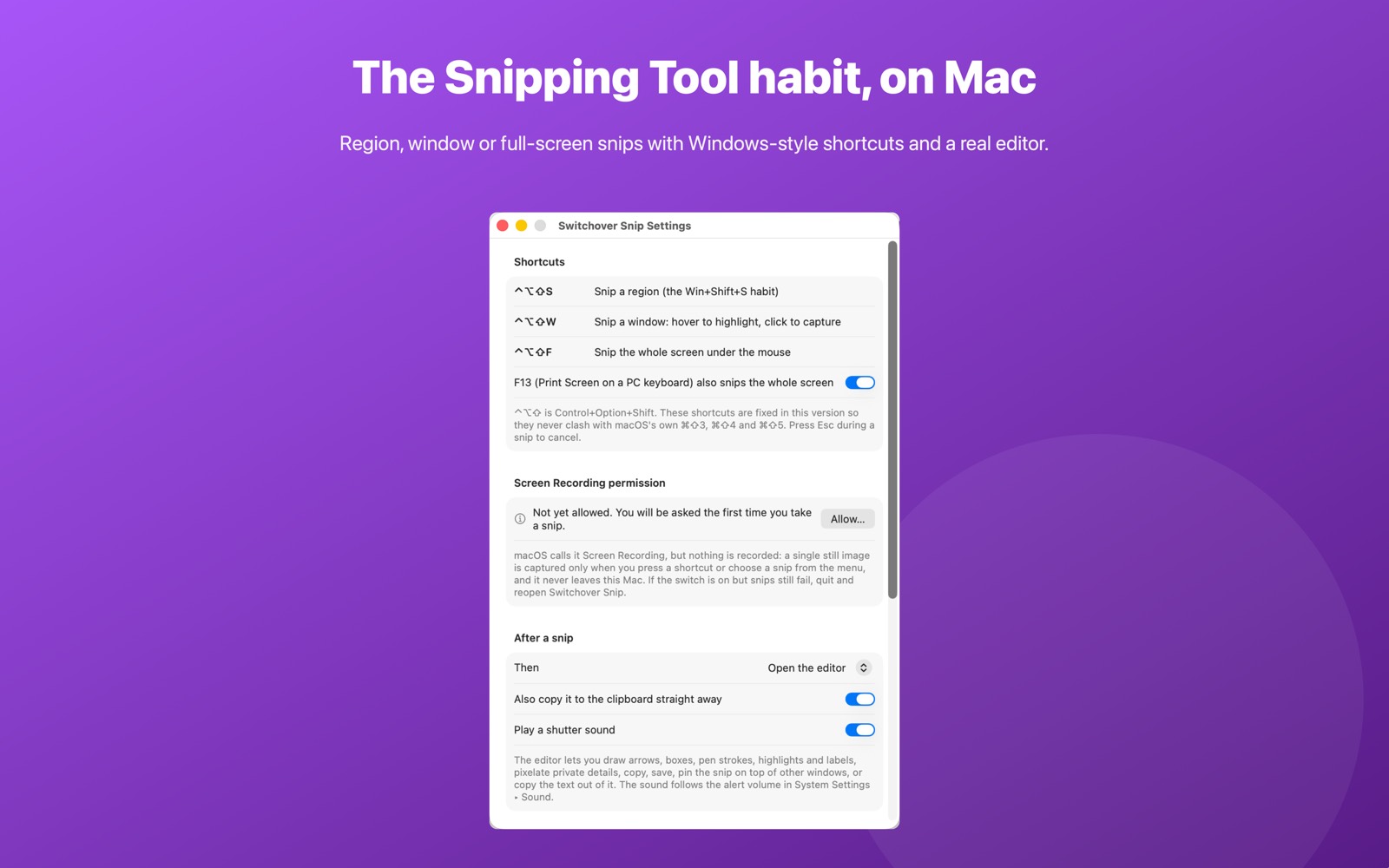
Ctrl+Option+Shift+S drags over any part of the screen. Ctrl+Option+Shift+W highlights a window and snips it, even if other windows overlap it. Ctrl+Option+Shift+F — or the Print Screen key on a PC keyboard — takes the whole screen. Esc cancels.
Mark it up
The snip opens in a small floating editor: arrows, boxes, pen, highlighter and text labels in any colour, with undo and redo. Drag the Pixelate tool over names, email addresses or account numbers before you share it.
Then do something with it
Copy the marked-up image straight to the clipboard. Save it as PNG or JPEG, wherever you like or automatically into a folder you choose. Pin it above every other window at full size, for copying figures from one app into another.
Copy the text out of anything
Lift the words out of an error dialog, a scanned page or a video call. Recognition runs entirely on your Mac.
Getting started
Open Switchover Snip once and it lives in your menu bar as a scissors icon. Trigger a snip from that menu or press its shortcut from any app. macOS's own Shift+Cmd+3/4/5 keep working as before.
Permissions and privacy
Taking a screenshot on macOS needs the permission Apple calls Screen Recording. Switchover Snip asks the first time you take a snip, explains why, and never records anything — it captures a single still image of the area you chose, when you ask for it.
Switchover Snip has no network access and collects nothing — no analytics, no accounts, no third-party SDKs. Its settings stay in its own sandbox on your Mac. Full detail in the privacy policy.
The rest of the family
Each Switchover app restores one Windows habit, and each one works on its own.
- Switchover — the main app: cut and paste files, clipboard history, and the keys you miss
- Switchover Mouse — Windows mouse habits, kept
- Switchover Stats — Task Manager in your menu bar
- Switchover Taskbar — A taskbar for your desktop
- Switchover Expand — A fast, private text expander
- Switchover Cheat Sheet — Every shortcut, with its Windows twin
Switchover · All apps · Support · Privacy
Copyright © 2026 TJ. All rights reserved. The Switchover apps are independent products and are not affiliated with Apple Inc. or Microsoft Corporation. Windows is a trademark of Microsoft Corporation; Mac, macOS and Finder are trademarks of Apple Inc. No part of this site may be reproduced or redistributed without permission.