Switchover › Apps › Switchover Mouse
Windows mouse habits, kept
Switchover MouseIn review
Moved from Windows and your mouse wheel now rolls the wrong way? Switchover Mouse fixes the mouse without breaking the trackpad.
Requires macOS 14 Sonoma or later. No account, no network access, nothing collected.
What it does
The wheel scrolls the Windows way — the trackpad stays natural
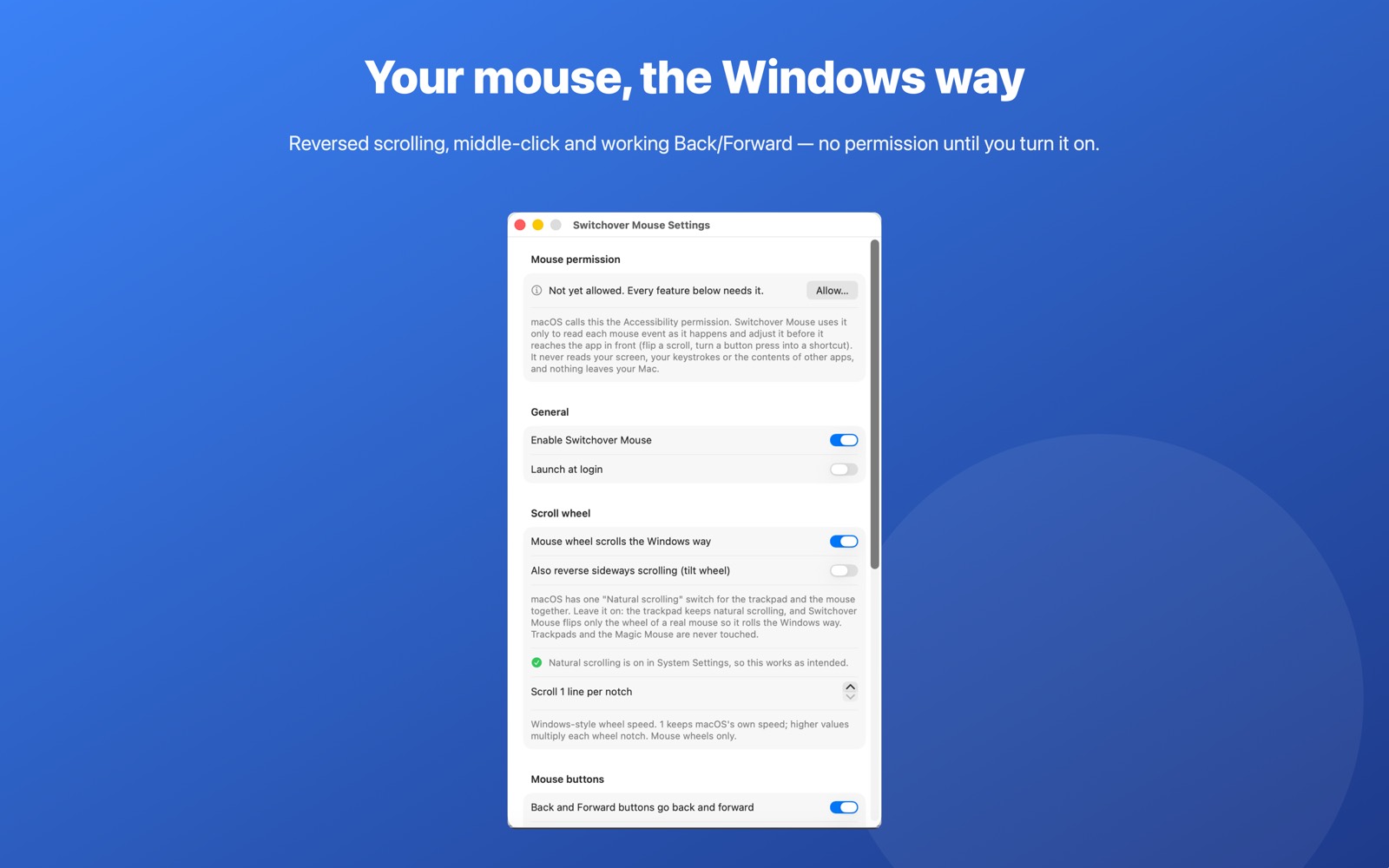
macOS has a single Natural scrolling switch for every pointing device, so one of them always ends up backwards. Switchover Mouse reverses only the notch-by-notch scrolls of a real mouse wheel. Trackpads and the Magic Mouse are never touched. Sideways scrolling on a tilt wheel can be reversed too.
Back and Forward buttons that work again
The side buttons on your mouse go back and forward in Safari, Chrome, Firefox, Edge, Arc, Brave, Vivaldi, Opera and Finder, the way they always did. One switch extends them to every app.
Option+click is a middle click
On a trackpad, or on a mouse without a clickable wheel, hold Option and click to open links in new tabs — and to close them again.
Windows-style wheel speed
Scroll one to five lines per notch, your choice. Mouse wheels only; the trackpad keeps macOS's own smooth scrolling.
Getting started
Open Switchover Mouse once and it lives in your menu bar. Turn on a feature from the menu bar icon's menu — reverse scrolling, middle-click, or back/forward — and keep the rest switched off.
Permissions and privacy
Switchover Mouse needs the permission macOS calls Accessibility to adjust a mouse event before it reaches the app in front. It asks the first time you turn a feature on, explains exactly why, and never asks at launch. It reads each event for a few microseconds as it passes and stores nothing.
Switchover Mouse has no network access and collects nothing — no analytics, no accounts, no third-party SDKs. Its settings stay in its own sandbox on your Mac. Full detail in the privacy policy.
The rest of the family
Each Switchover app restores one Windows habit, and each one works on its own.
- Switchover — the main app: cut and paste files, clipboard history, and the keys you miss
- Switchover Stats — Task Manager in your menu bar
- Switchover Snip — Snipping Tool habits, kept
- Switchover Taskbar — A taskbar for your desktop
- Switchover Expand — A fast, private text expander
- Switchover Cheat Sheet — Every shortcut, with its Windows twin
Switchover · All apps · Support · Privacy
Copyright © 2026 TJ. All rights reserved. The Switchover apps are independent products and are not affiliated with Apple Inc. or Microsoft Corporation. Windows is a trademark of Microsoft Corporation; Mac, macOS and Finder are trademarks of Apple Inc. No part of this site may be reproduced or redistributed without permission.